![1.png]](https://info.prologmobile.com/hs-fs/hubfs/1.png?height=50&name=1.png)
-
If you export directly to excel, it shouldn't convert the format.
-
If you export to CSV, the format gets converted, in order to fix this, you must follow these steps.
-
Highlight the columns in questions
-
Click this dropdown:
-
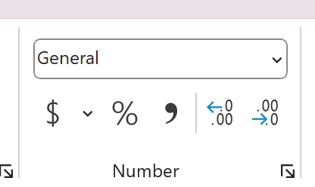
-
Select the bottom option "more number formats"/
-
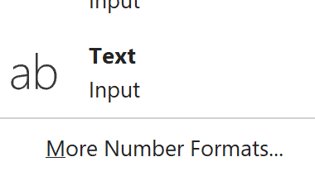
-
highlight the text box
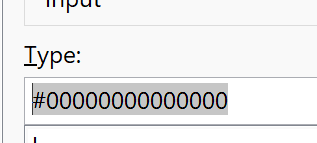
type in hash-tag and 14 zeros -
"#00000000000000"
-
This should fix it.
-
Once you have saved the file without converting properly, the data is lost, as is the case in your example. You need to redownload the file and save it with the correct data, otherwise excel automatically converts it, which we cannot control.